OPENAI · BUSINESSES IN CHATGPT · BETA
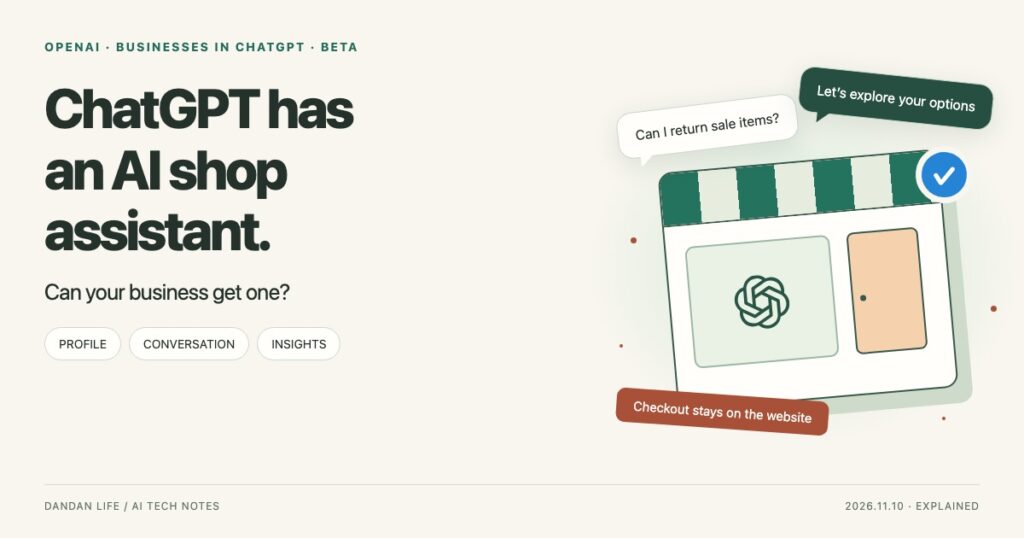
ChatGPT Has an AI Shop Assistant.
Can Your Business Hire One?
From managing a business profile to customer conversations and insights: who can use the new features, and what can they actually do?
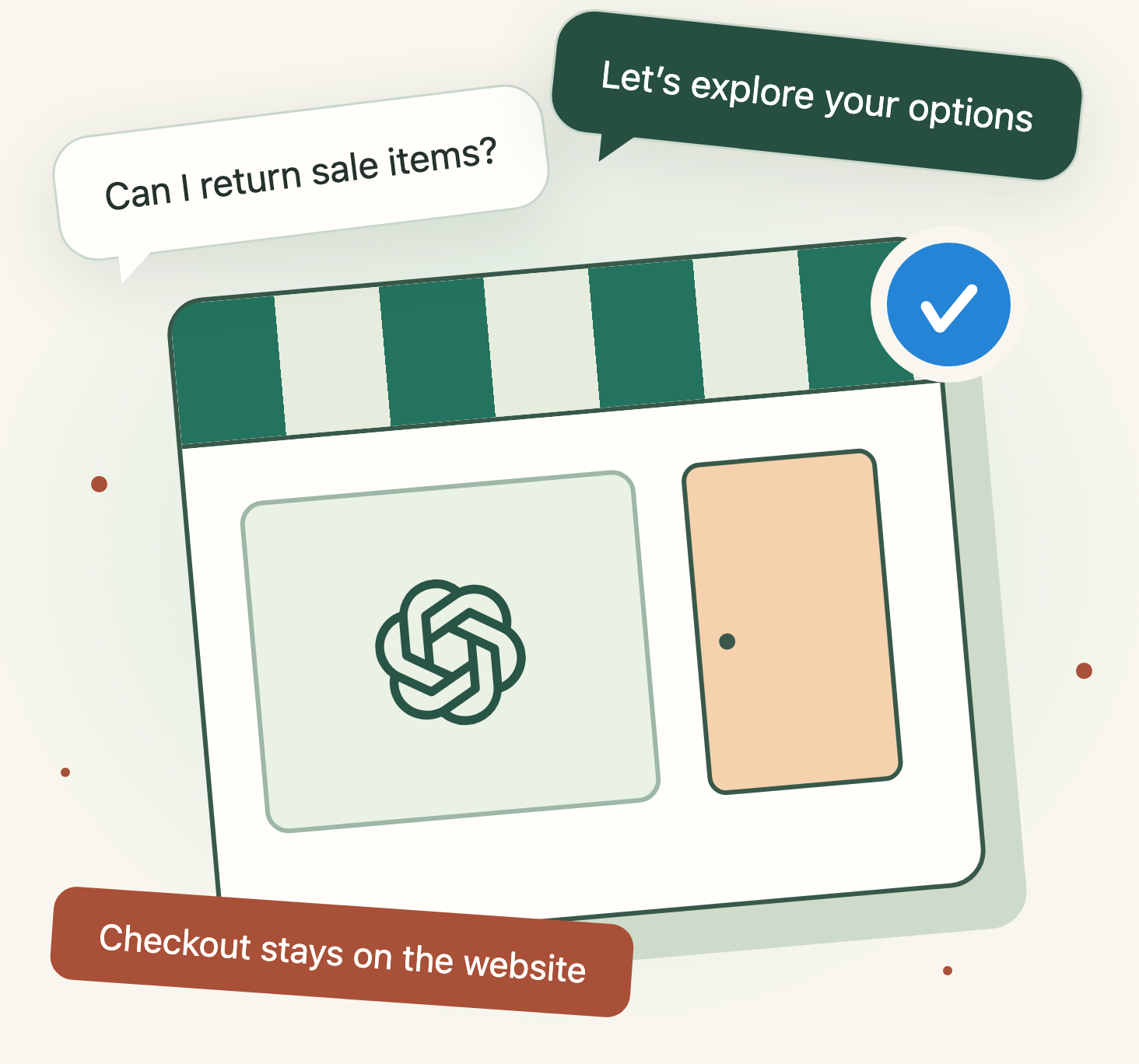
Imagine comparing birthday gifts in ChatGPT, then opening one shop’s chat. “Could a six-year-old use this independently? Can I return it if I buy it on sale?” Your questions continue, but the speaker’s role changes: you are now asking an AI representing that shop, not an independent guide comparing businesses.
That is the idea behind Businesses in ChatGPT, which OpenAI introduced in beta on November 10. Businesses can manage a profile and supply product and policy information. Those that meet additional requirements can publish a clearly labeled Business Agent for a separate branded conversation. But there is a crucial limit: the shop assistant has arrived, not the checkout counter.[2][1]
The shift worth watching is not just another business listing. Competing for a click now includes answering the questions inside a conversation. Follow the birthday-gift example to see both the opportunity and the limits.
From discovery to a branded conversation
ChatGPT answers independently. A business profile can make the next step more useful, while your website remains the destination for actions.
This is an explanation of public sources, not a hands-on account of applying or operating the service. Custom diagrams and fictional conversations are explanatory; official demonstration images are separately credited.
The 30-second version
Describe your business directly
Manage a profile and product information. This does not give you control over every ChatGPT answer.
An AI representing your brand
Currently for eligible US ecommerce and online-service businesses. It is separate from general ChatGPT answers.
See signs of discovery
Aggregate mentions, website clicks, and discovery topics. You do not receive customers’ raw conversations.
Free for now; ads are separate
Business Hub and the agent have been described as free for now, not guaranteed free forever.
Eligibility follows OpenAI’s setup documentation. The description of current pricing comes from Digiday’s reporting on a briefing with an OpenAI monetization executive.[1][3]
A FICTIONAL SCENE / START WITH THE CONVERSATION
Same shopper. A different voice.
When comparing gift ideas, you are reading ChatGPT’s independent answers. Open the chat for a fictional US toy shop, and you are now asking an AI that represents that business.
- 01 · Compare products
“Could a six-year-old use this independently?”
“I can compare the recommended age, contents, and instructions. Are you looking for something easy to use without help?”
- 02 · Check returns
“Can I return it if I buy it on sale?”
“Some items may have exclusions. Let me check the return terms for that product.”
- 03 · Go to the website
“Great. Please take my payment now.”
“I cannot complete checkout here. Please buy it on the shop’s website.”
The branded chat is separate from the original ChatGPT conversation. Product and policy explanations lead to the merchant’s website for the actual purchase.[2][1]
 Enlarge image ↗
01 / First, read the signs
How the names fit together
Businesses in ChatGPT is the overall name for these business-facing features. Within it, Business Hub is where businesses manage information and insights, while Business Agent is the customer-facing conversation feature. The similarly named ChatGPT Business is a separate subscription for team work.[2][4]
Business Hub
Where a business manages its profile, product information, and insights. Eligible businesses do not need an ad account or Enterprise contract to sign up.[1]
Business Agent
An AI conversation that represents the business. Claiming a profile does not automatically create or publish one. Eligibility, verification, and a separate publication step apply.[1]
ChatGPT Business
A paid workspace for teams. It is not the name of this business-profile program.[4]
Think of Business Hub as the back office and Business Agent as the AI shop assistant. In a general ChatGPT conversation, the customer may still explore multiple options. When they open a branded conversation, they are speaking with an AI for that business. The distinction matters: hearing a product pitch from a store representative is not the same as getting independent comparison advice.[5][6]
02 / What can a business in South Korea use?
Profiles reach further; AI assistants start in the US
South Korea is a supported ChatGPT country, but that does not make every business feature available. Eligibility to manage a profile is different from eligibility to publish an agent. A Korean online business should first check whether claiming and verification are supported for its location and business type.[7][1]
Claim a profile
Eligible businesses in places where ChatGPT is available and the required verification is supported may apply. Location, business type, and verification requirements matter. An online business may see an option to add itself if it does not appear in search.
Publish an agent
For now, this is for eligible US ecommerce and online-service businesses with a website. Verifying a business does not, by itself, make it eligible for an agent.
There is a particularly narrow rule for physical stores and restaurants: they can currently claim only existing US listings. Checking a Korean online business’s profile eligibility is not the same as receiving approval. Claiming local cafe or restaurant profiles in South Korea is not currently supported. This is not a launch that every Korean shop can immediately join.[1][6]
03 / The blue badge is not a one-click gift
First claim your business. Then verify who you are.
Claiming means requesting permission to manage the business profile as its owner or an authorized representative, not acquiring legal ownership of the company. Depending on what the interface offers you, that may mean a phone, business email, domain DNS, or Shopify. Phone verification uses a text or automated-call code; domain verification involves adding the specified TXT record to DNS. Not every business will see all four options. Additional identity verification uses a service called Persona; OpenAI reviews and approves the submitted information.[1]
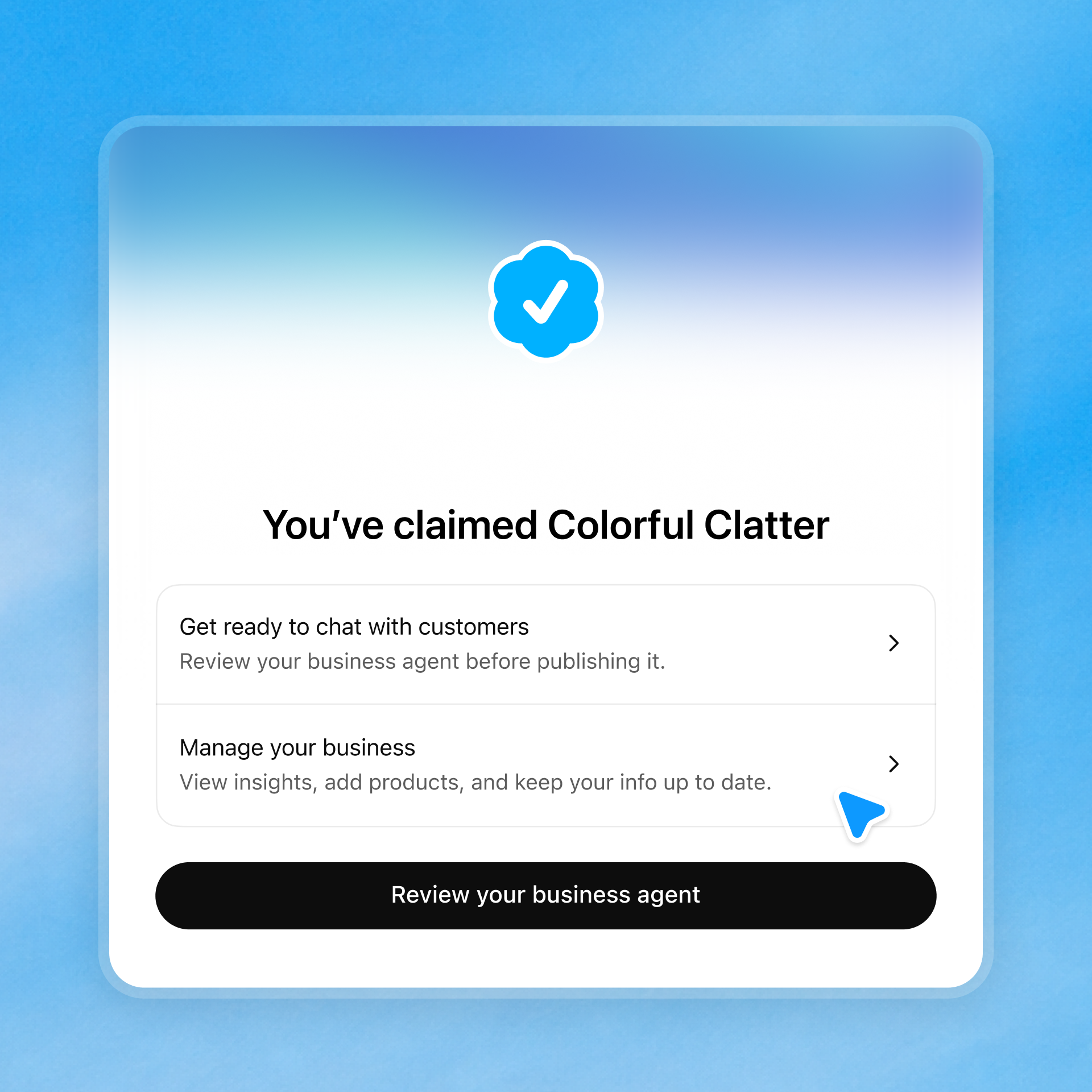
An approved claim gives you access to Business Hub. But to publish profile changes, connect a product feed, and see insights, Persona identity verification must also be approved. The blue check appears after that approval. You may be asked for a government-issued ID, business registration details, or proof that you are authorized to represent the business. Submitting documents is not the same as being verified.[1]
 Enlarge image ↗
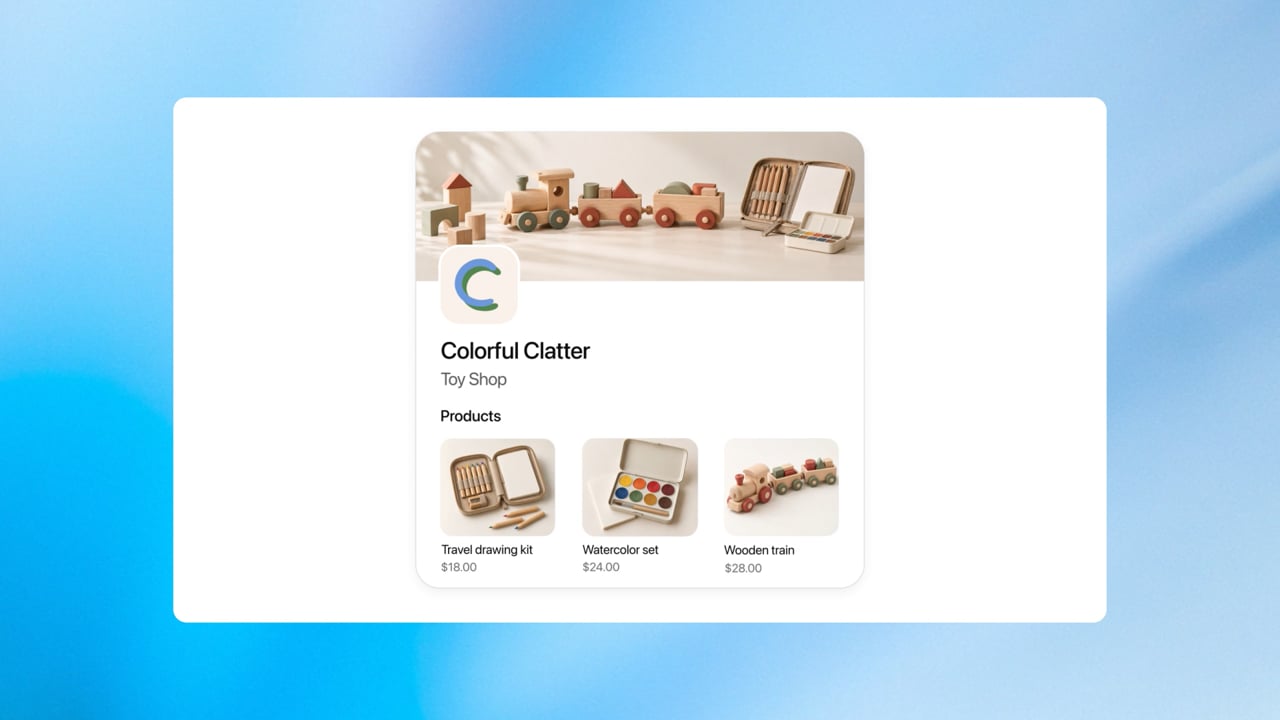
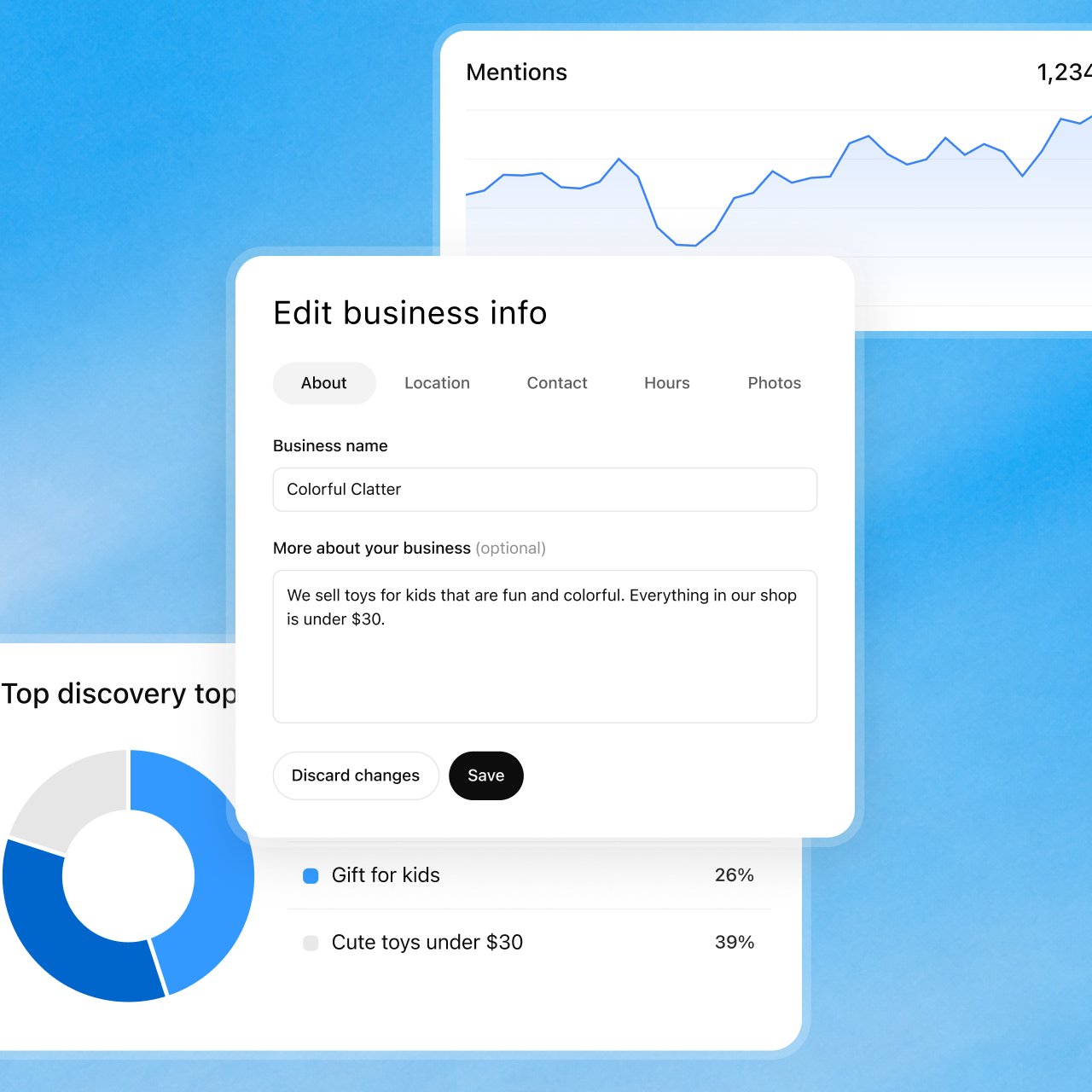
After verification, you can manage details such as your description, category, logo, cover image, website, and shipping and return policies. Saving a change does not instantly rewrite every ChatGPT answer. OpenAI reviews changes, and ChatGPT can use other sources too. This is a way to supply your brand’s information, not an exclusive script for the AI.[1][8]
04 / A helpful assistant, not a master key
It can explain returns. It cannot issue the refund.
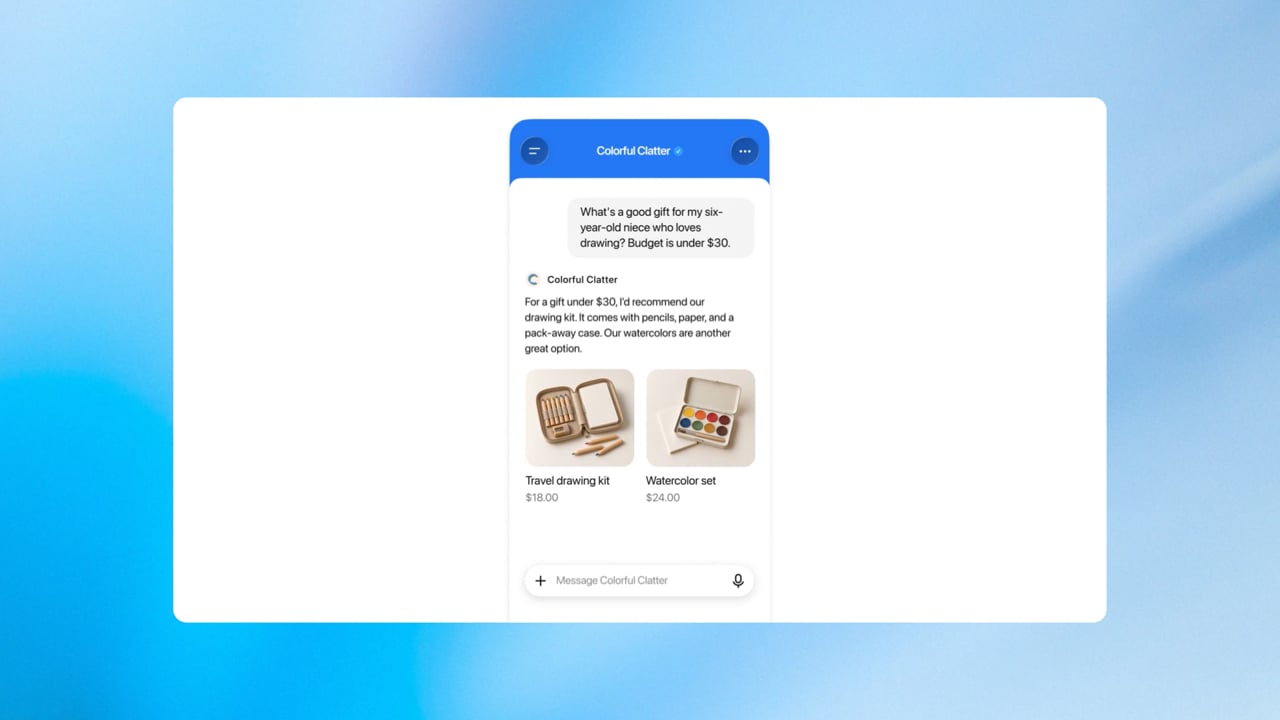
The agent is most useful when it helps customers work through a hesitation. It can explore products for a particular need, compare sizes, colours, and prices, and explain shipping or return policies. A business can review the information and response instructions it provides, then test common questions before publishing.[1][3]
The birthday gift · Keep the questions goingImagine the shopper from the earlier scene has chosen a drawing kit. See how the scope of the answers changes when product comparisons lead to return, refund, and order questions.
 Enlarge image ↗
At present, the agent cannot complete purchases or bookings, or look up a customer’s order. It directs people to the business website to finish those actions. Even if the same business has a ChatGPT plugin, this separate agent conversation does not inherit the plugin’s data or capabilities. Being “in ChatGPT” does not mean every tool is connected.[1]
Nor can a business simply bring in its existing support bot. According to OpenAI’s explanation reported by Digiday, the current agent is configured with the business’s instructions and product feed; bringing your own agent is not supported.[3]
Sales tactics an AI assistant must not use
OpenAI’s policy requires the AI to make clear that it represents the business, not pose as an independent adviser, a person, or an OpenAI-endorsed consultant. Instructions must not keep pressuring someone who has declined, invent a deadline to rush them, or solicit unnecessary sensitive information. Advice requiring a professional licence and actions beyond approved capabilities are also off limits. A better sales instruction is closer to “explain when this product is not a fit” than “sell it at all costs.” That last sentence is our practical recommendation.[6]
05 / Numbers, not a diary of your customers
“100 mentions” does not mean your name was said 100 times
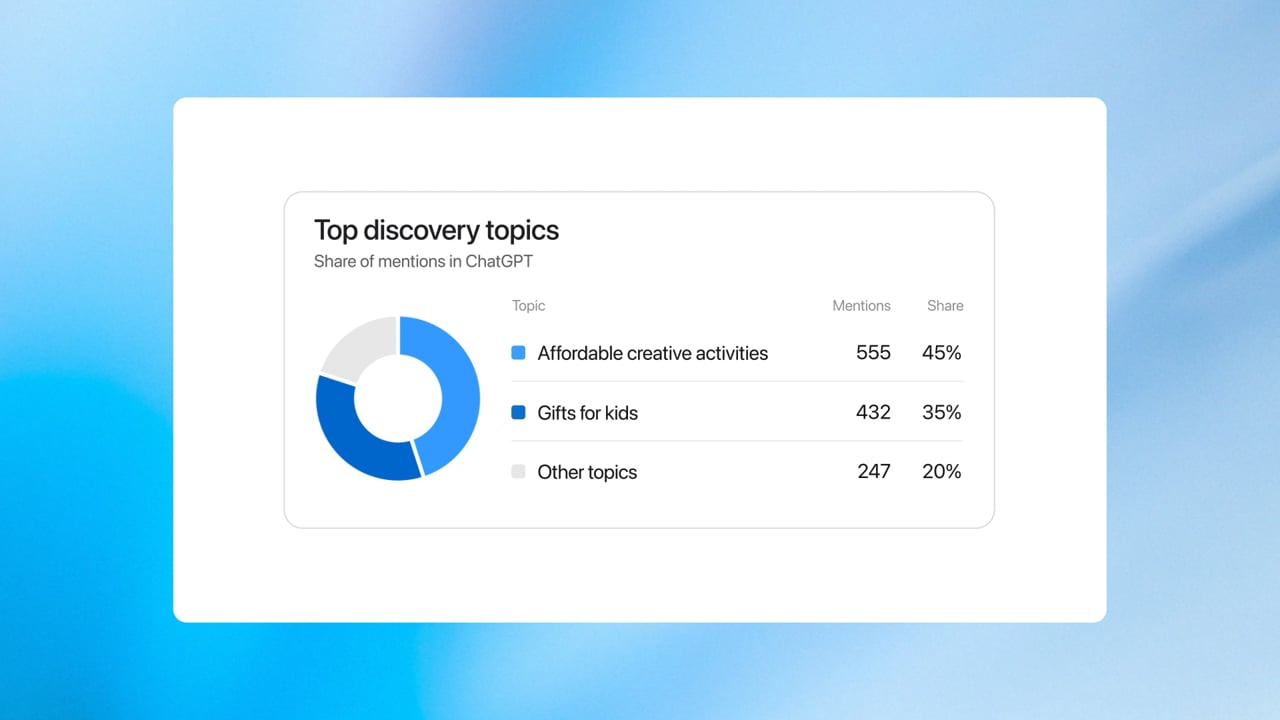
“Why did our name appear in an answer but not in our statistics?” “Can the shop owner read my conversation with its AI?” Both questions turn on what is reported. Businesses receive aggregate insights, not individual conversation transcripts. Insights cover mentions and website clicks over the past 28 days, but a “mention” does not simply mean the name appeared.[1]
 Enlarge image ↗
For an online business, a mention is counted when ChatGPT references its website. Merely saying the brand’s name does not count. For a local business, showing a result for that location counts even if nobody clicks. Do not compare the two categories’ “mention” totals as if they measured the same thing.[1]
What you can see
- Aggregate mentions and website clicks
- Common topics in answers that mention or cite your business
- Clues about customer interests
What you cannot see
- Individual customer prompts or full conversations
- Transcripts of customers’ chats with your agent
- Confirmed visits or purchases inferred from clicks alone
Discovery topics are themes grouped from answers, not a list of questions customers actually typed or a direct measure of purchase intent. A blank metric does not necessarily mean zero activity: it may be below reporting thresholds, still being collected, or unavailable.[1]
And if a pie chart in an official demo shows percentages, do not read them as market share versus competitors. The demo shows a distribution of topics. OpenAI also told Digiday that share of voice, a comparison of mention share across brands, is not part of this beta. A website click counts a link click in a supported surface, not a sale.[3]
06 / Why offer a free assistant?
Two routes into the conversation
A free feature might make you think ads are unnecessary. Or perhaps you suspect you must pay to appear in answers at all. Organic discovery and paid advertising operate through separate routes.
In a briefing reported by Digiday, OpenAI monetization executive Benji Shomair described the Business Agent as a free conversation people discover without an ad, and the sponsored agent as a conversation reached through paid advertising. He said the agent behind either entry point should be the same. That should not be read as a description of settings that automatically sync between today’s management interfaces.[3][9]
As of our check, the Ads Manager setup guide says Sponsored Business Agents are rolling out to eligible ad accounts over the coming weeks. Check whether Business agent → Agent builder appears in the relevant account. If it does not, your OpenAI representative or Ads Manager support can confirm access.[9]
Read the availability notices together. The September 16 launch described a test with some US advertisers, and the Sponsored Agents overview still says “limited alpha” for selected advertisers with no early-access requests accepted. The rollout notice does not, by itself, confirm general availability, the end of the alpha, or reopened early-access applications.[10][11]
One boundary remains important: OpenAI says claiming a business does not guarantee a higher recommendation ranking, and ads do not influence ChatGPT’s independent answers. A business can improve the information it provides; it does not get the controls for the recommendation algorithm.[1]
Competing for clicks now includes answering the question
The old path was to win a click in search results and persuade a visitor on your site. Now there is another moment: helping someone decide “Is this right for me?” within a conversation. The platform holds more of the journey from discovery toward purchase. Businesses gain a chance to answer, but do not receive the transcripts of those customer conversations. This is an interpretation of the product design, not evidence of increased sales.
07 / Shopify is a shortcut, not an admission ticket
Connecting a catalogue does not automatically put the assistant to work
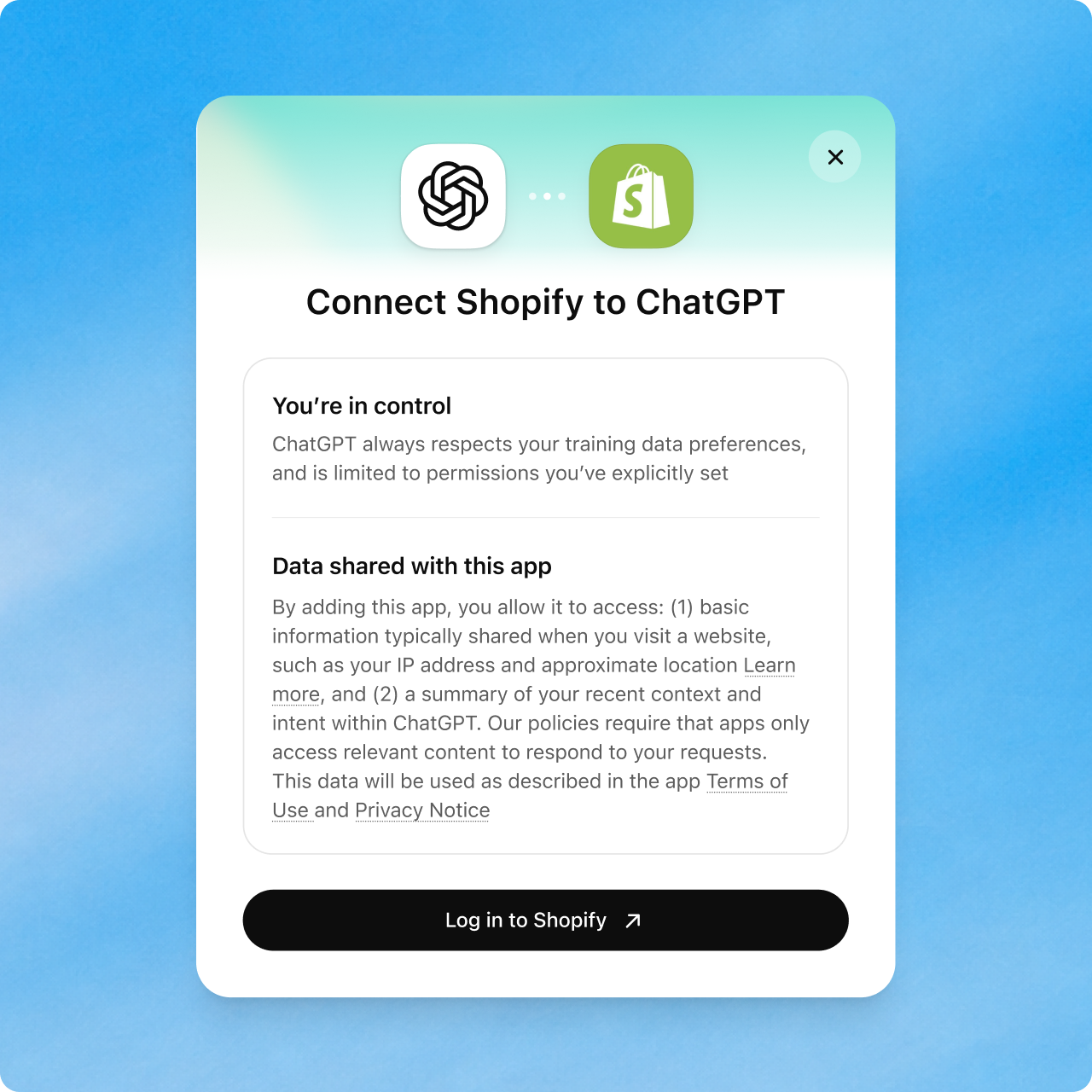
Shopify merchants have a path to connect their store through the admin or Business Hub, share product, price, and inventory information, then preview and publish an agent. Those are the three steps in the official overview. Eligibility and verification requirements still apply separately.[12][1]
 Enlarge image ↗
 Enlarge image ↗
 Enlarge image ↗
Shopify is not required. You can also upload a CSV product feed that follows the official specification or provide the URL of a hosted feed file. Connecting a feed guarantees neither recommendations nor automatic agent publication. “Product data connected” and “customer-facing agent published” are separate boxes to check.[1]
It is also worth separating Shopify’s Agentic Storefronts from this feature. Agentic Storefronts is a broader commerce offering that connects products to multiple AI channels. OpenAI’s current Shopify shopping help says purchases are completed on the merchant’s online store. That does not give the Business Agent discussed here a checkout or order-processing capability.[13][14]
08 / What to do today
Start with questions it must not get wrong
First check your location, business type, whether a profile already exists, and your authority to represent the business. If the feature is not supported where you are, do not rush to work around the rules. Get your public information and real customer questions in order instead. Use the checklist below to review your preparations before publication.
For businesses: test the awkward cases
Try “Can I return a sale item?”, “Which destinations are excluded from free shipping?”, or “When will it be back in stock? How is the alternative different?” If the answer is wrong, fix the source information or instructions and test again. OpenAI’s guidance also describes previewing and adjusting the agent with questions before publication.[1]
Return to the gift example. If a test conversation wrongly says every sale item can be returned, check whether the actual policy’s non-returnable exceptions were omitted. Fix the information or instructions, then ask the same question again. This is a hypothetical review process, not an error we observed in the service.
For shoppers: know whose voice you are hearing
Check whether you are reading an independent ChatGPT answer or a conversation representing one brand. If a branded chat is available, confirm the final terms for payment, returns, or bookings on the linked business website. A shopper in South Korea considering an overseas purchase should also check delivery to Korea, shipping and customs costs, and the return address and costs. A blue badge is not a warranty of product quality or a successful return.[6][8]
If a team or agency helps run the account, grant access through the supported roles for each person’s account. OpenAI advises against passing around a personal ownership-invitation link. Multiple brands must be managed separately; there is currently no central tool to manage all of a parent company’s brands and locations at once.[1]
The shopper finishes by checking the price, stock, and return exceptions on the shop’s website before buying. The AI assistant is a step in making the decision, not a replacement for checking the final terms.
In one sentence
This is not a guarantee of recommendations.
It is a place to explain.
The interesting part of Businesses in ChatGPT is not just that an AI can speak for a store. The business supplies information, the customer chooses whether to enter a branded conversation, and the platform marks that boundary. To make the arrangement useful, accurate prices, honest policies, and a clear account of whose voice is speaking matter more than a dazzling assistant.
CHECK / Three quick questions
Can you spot what this AI assistant can and cannot do?
Frequently confused questions
Do I need a paid ChatGPT Business plan or an ad contract?
No. Businesses in ChatGPT is separate from the ChatGPT Business team product. OpenAI says eligible businesses do not need an ad account or Enterprise contract to apply. An OpenAI executive has described Business Hub and the agent as free for now, but that is not a promise they will always be free.[4][1][3]
Can a business in South Korea create an AI assistant right away?
The agent is currently for eligible US ecommerce and online-service businesses. Profile eligibility is broader but depends on location, business type, and supported verification. Physical stores and restaurants can claim only existing US listings for now.[1]
Can I simply delete my profile after it goes live?
OpenAI’s documentation allows deletion of unpublished draft profiles, not public ones through business settings or ownership requests. A new Persona profile goes live automatically upon approval, so prepare its details first. OpenAI’s ability to restrict or remove a profile for policy violations is a different matter from a business requesting to hide its own listing.[1][8]
Sources
- [1]OpenAI Help · Setting up your business on ChatGPT
- [2]OpenAI · Introducing Businesses in ChatGPT (Nov 10, 2026)
- [3]Digiday · OpenAI’s business agents and sponsored-agent strategy
- [4]OpenAI · ChatGPT Business (team workspace)
- [5]OpenAI · Introducing Businesses in ChatGPT in beta (Nov 10, 2026)
- [6]OpenAI · Business Agents policy (Nov 10, 2026)
- [7]OpenAI Help · ChatGPT Supported Countries
- [8]OpenAI · Businesses in ChatGPT policy (Nov 10, 2026)
- [9]OpenAI Help · Setting up a Sponsored Business Agent in Ads Manager
- [10]OpenAI · Reimagining advertising with AI (Sep 16, 2026)
- [11]OpenAI Help · Sponsored Agents in ChatGPT Ads
- [12]OpenAI · Businesses in ChatGPT
- [13]OpenAI Help · Shopping from Shopify merchants in ChatGPT
- [14]Shopify · Agentic Storefronts
Checked against official documentation, announcements, public demonstrations, and attributed reporting on November 11, 2026 (KST). Eligibility, pricing and metrics may change. Diagrams, particles and fictional conversations are explanatory; they do not call an AI or execute transactions. Official images and trademarks belong to their respective owners.