Meta Muse From AI That Answers to AI That Does the Work
What if an AI could sell your car for a better price, talk down a bill, and remember your friends’ dietary restrictions before sending the dinner invites? That is the pitch for Muse, the personal AI agent Meta unveiled on September 8. It doesn’t just answer questions; it does the work. It is now available in the US and Canada.
Public-source analysis · Edited by Dandan Dad · Editorial policy
- Meta Muse
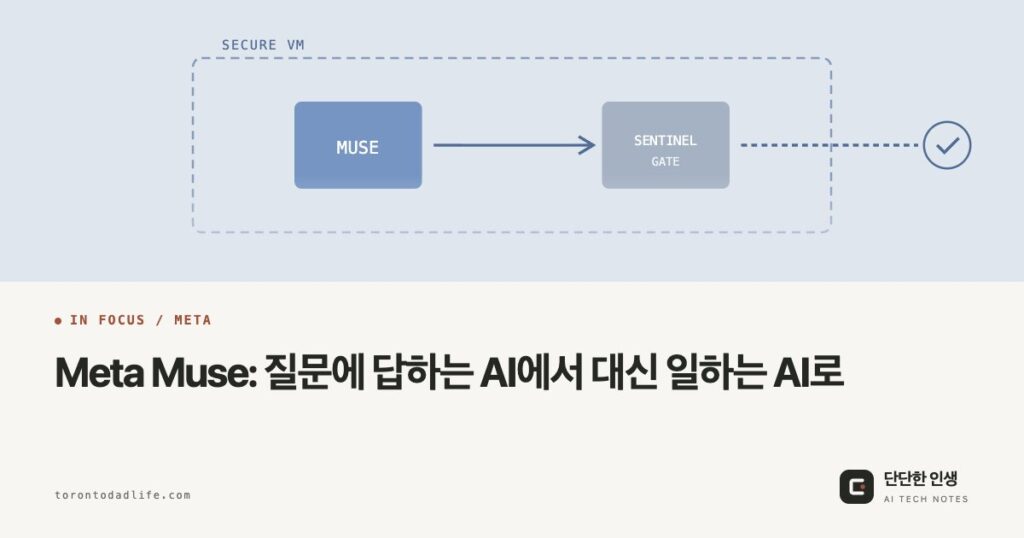
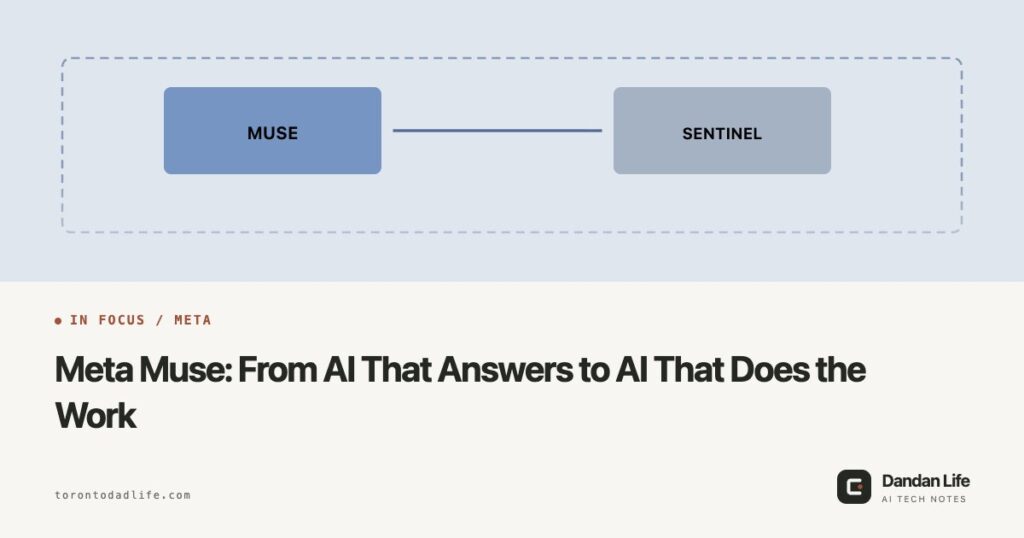
- Muse is a personal AI agent that sends emails, makes purchases, and manages schedules for you. Each user gets a dedicated cloud VM, and a separate Sentinel agent is designed to decide whether Muse’s actions on outside services and its outbound traffic are allowed. It is free with a weekly limit, with $20 and $100 monthly plans for heavier use.
What Is Muse
Meta’s pitch is simple: “Tell it what needs to get done, and it takes action.” Muse opens browsers, fills out forms, and negotiates on your behalf. It keeps working after you close the app and checks back only when something changes or it needs your approval. You can reach it through the mobile app, the web, WhatsApp, and, since September 17, a Mac app; Meta says AI glasses support is coming in the next few months. Basic use is free, and the Power ($20/month) and Maximum ($100/month) plans raise the weekly usage allowance.
Key Features
- Long-term goals: Share a goal and it builds a plan, adjusting as circumstances change.
- Multitasking: Handles multiple tasks simultaneously in a single conversation.
- Memory: Remembers details mentioned once and applies them to future tasks.
- Shopping: Pays through Stripe’s Link with one-time card numbers, so your real card stays hidden. At Connect on September 23, Meta said it is adding Shop Pay and PayPal, plus retailers such as Walmart and Best Buy. On October 6, with some sites blocking agents, Meta and Sierra previewed the Personal Agent Protocol, an open standard for how personal agents sign in to a business’s website or API and securely show who they are acting for. Shopify, Stripe, and Walmart are among the partners building it.
Execution Permissions: Muse Proposes, Sentinel Grants
Muse Secure VM: Three Layers
- Isolated VM: Each user gets an independent Linux virtual machine, designed to keep each user’s data separate.
- Sentinel agent: A separate agent designed to be the only gate that can approve connector actions and outbound network traffic. Meta says Muse cannot override Sentinel’s decisions.
- Credential separation: Passwords and API keys are in a separate secure store. Muse can use them without seeing them.
Splitting the worker from the gatekeeper is meant to limit the damage when something goes wrong. It does not guarantee that attacks or bugs won’t happen, and Meta itself says Muse “isn’t immune to attack.”
Approval Comes in More Than One Form
According to Meta’s security write-up, Sentinel applies the policy you set and decides for each action whether to allow, deny, or ask you. When it asks, you can grant one-time, session-scoped, task-scoped, time-bounded, or ongoing permission. Read-only, previously allowed, or low-risk actions go ahead without a prompt.
Purchases are handled separately. On a checkout page where your payment details are already saved, Muse shows the exact purchase details and asks for approval every time; on new sites it pays with a single-use card number. Letting Muse send one email does not approve purchases the same way. What needs confirming depends on the action, the connected service, and the defaults you picked, so take a minute to check what you have actually allowed in the Permissions settings.
On a Mac, check the system permissions too. After an Inc. columnist said Muse had read his messages without permission, Meta replied that Muse can read Messages only if you turn on both macOS Full Disk Access and the Muse Messages connector. Without naming any app, Apple said on October 2 that, as AI agents grow more capable, it will make Full Disk Access something users can grant only through very explicit action.
Proprietary and Open Models, Side by Side
Muse runs on Muse Spark, a proprietary model whose weights (the file that holds what a model has learned) Meta has not released. Meta has not said which Spark version the app uses; as of October 6 the newest is Spark 1.3, released September 2. App access and developer API access are separate routes: Meta’s April announcement places Spark in the Meta AI app and meta.ai, while the September Spark 1.3 release offers it through Muse Code and Meta Model API. Using a model in an app does not make its weights downloadable, and features or versions can differ between apps and APIs.
Meta has not stopped releasing open models, though: on August 10, 2026 it published the weights of Muse Glimmer, a roughly 30-billion-parameter model, under the Apache 2.0 license. Glimmer is not the model behind the Muse app, but it shows that Meta now runs proprietary and open models side by side. The Spark 1.3 post also lists a future Muse Spark open-weights release on Meta’s roadmap, with no date.
How Muse Was Designed
Muse is designed as one long conversation, not turn-by-turn Q&A. You can fire off several tasks without waiting for replies, and Muse can message you first. Meta says the bar for those proactive messages is high: they must be genuinely helpful.
Because Muse keeps working while the app is closed, Meta lets you open the activity log and the permissions you have approved, and read and edit the memory file where Muse keeps what it knows about you. The log is for checking; the memory file is the part you can change.
Verification note: updated Sep 25 and Oct 6, 2026
- Oct 6, 2026: added Canada availability, plan prices (Power $20 and Maximum $100 per month), the September 17 Mac app, and the Connect announcements (new payment options and retailers, AI glasses support planned). Rechecked that Muse Spark 1.3 is still the newest version. Also added the October 6 Personal Agent Protocol preview, the Mac Messages access dispute, and Apple’s planned Full Disk Access changes.
- Security design: absolute claims such as “Muse cannot bypass Sentinel” were reworded to describe Meta’s stated design intent. Meta also says Muse isn’t immune to attack.
- Approvals: added the permission types in Meta’s security write-up (one-time, session, task, time-bounded, ongoing) and the separate per-purchase confirmation.
- Open models: added Meta’s August 10, 2026 release of Muse Glimmer weights under Apache 2.0.
Sources
- Meta · Introducing Muse
- Meta Research · Muse Safety
- Meta Help Center · Muse security and permissions
- Meta Research · Introducing Muse Glimmer (Aug 10, 2026)
- Meta · How We Designed Muse
- Meta Research · Introducing Muse Spark 1.3 (Sep 2, 2026)
- Meta Help Center · About Muse subscriptions
- Meta Newsroom · The biggest news from Connect 2026 (Sep 24, 2026)
- Meta Newsroom · Muse for Small Business (Sep 29, 2026; US and Canada availability)
- Meta · Download Muse for Mac
- Meta for Business · A New Way for Businesses and Personal Agents to Work Together (Oct 6, 2026)
- Apple Developer · Updates to Full Disk Access in macOS (Oct 2, 2026)
- TechCrunch · Meta disputes claim that Muse read a user’s private messages without permission (Sep 30, 2026)